The new Brawler,
screen by screen.
Brawler shipped a full interface redesign. Here's every main screen and what it does — what you'd see in your first week of training.
Screens shown with a demo account.
Home
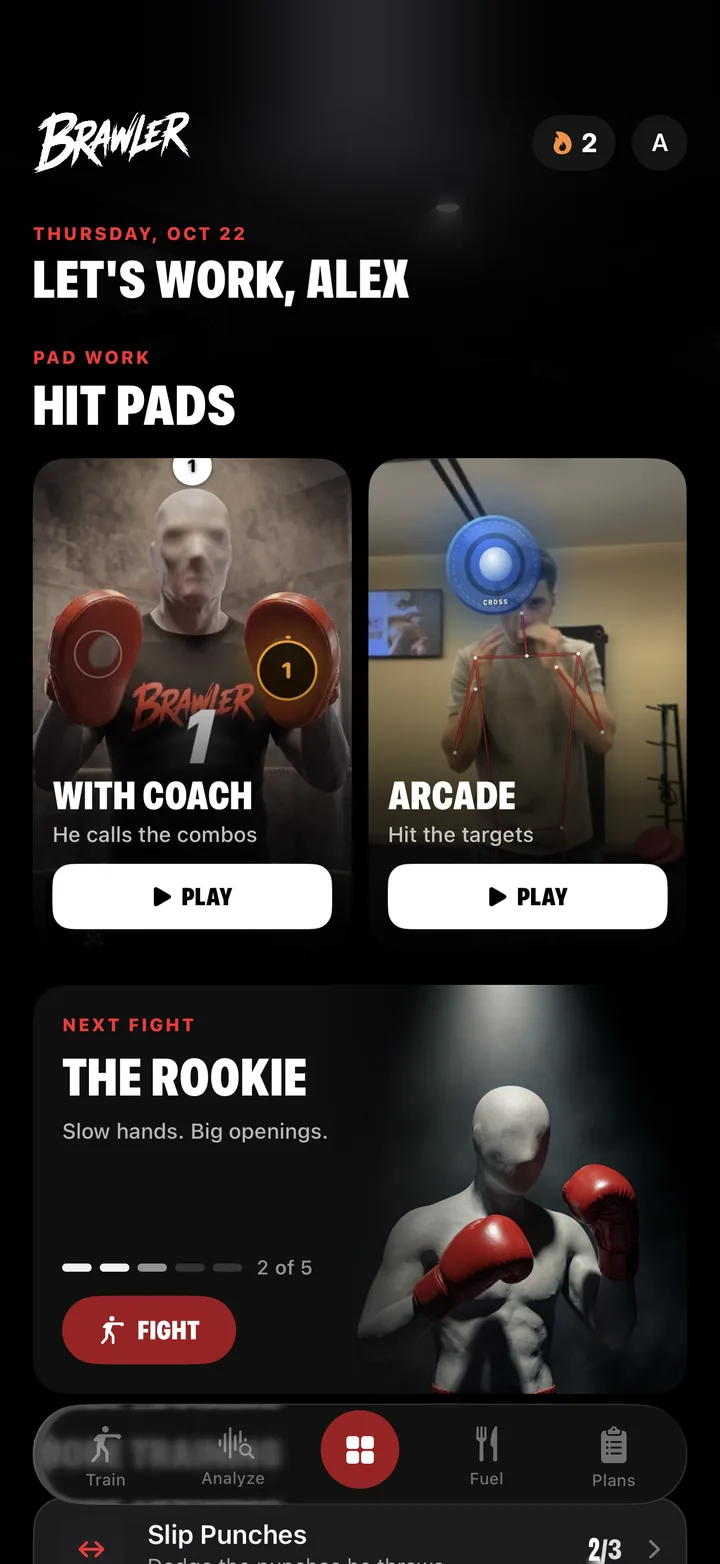
Pad work, fights, and today's drills
The home screen opens on pad work in two modes. With Coach, a trainer calls the combinations and you throw them. Arcade uses your phone's camera to track your body and puts targets on screen to hit.
Below that is Next Fight: a ladder of opponents, each with a style to solve. The first, The Rookie, has slow hands and big openings. Each fight is broken into rounds you clear one at a time.
Streaks
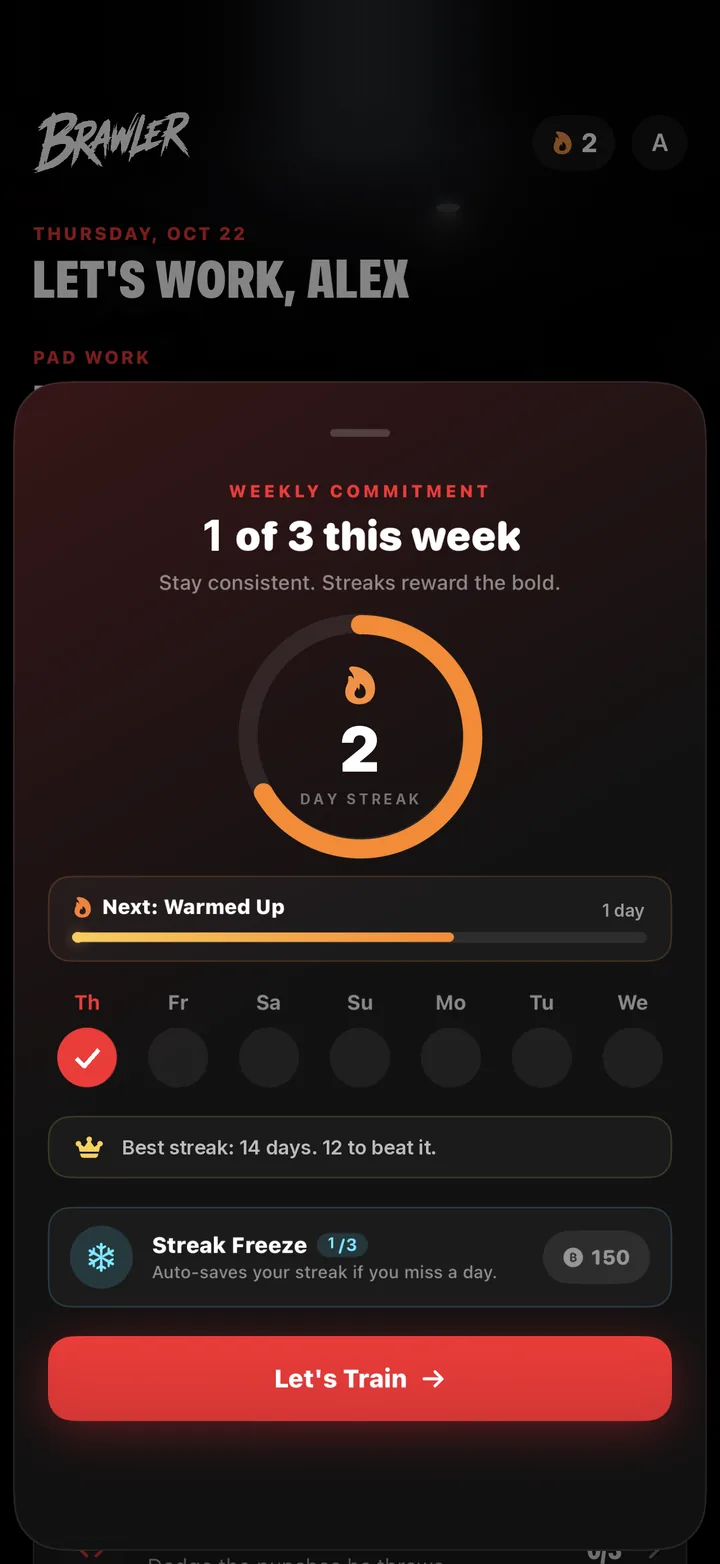
A weekly commitment, not a daily guilt trip
You commit to a number of training days per week rather than every single day. The streak ring tracks consecutive days, and tiers unlock as it grows — the first is Warmed Up, at three days.
Streak Freezes auto-save a streak if you miss a day. Rest is part of training, and the app is built to account for it.
Train
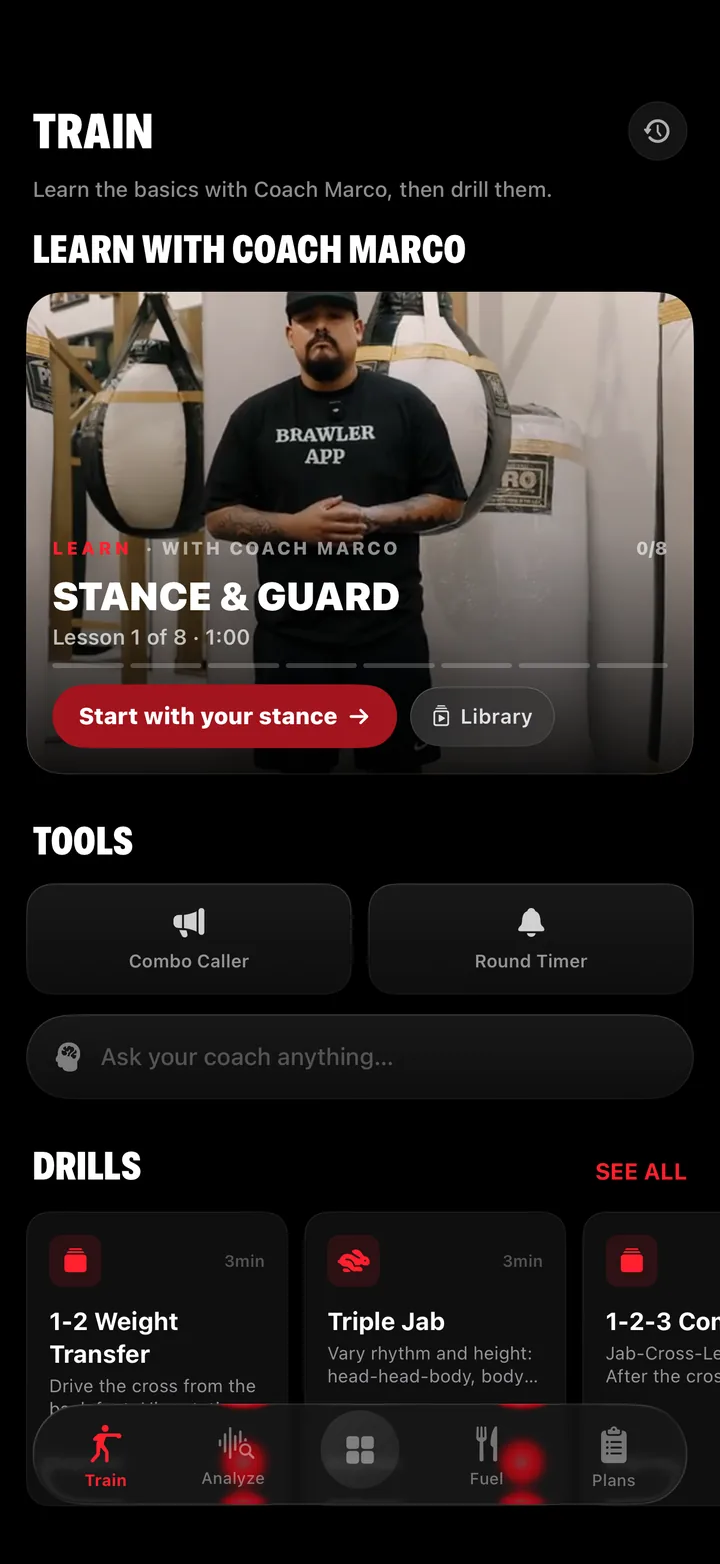
Learn with Coach Marco, then drill it
Train starts with an eight-lesson video series from Coach Marco, beginning with stance and guard. Each lesson is short — the first runs a minute — and leads straight into drilling what it covered.
Tools sit underneath: a Combo Caller that shouts combinations while you work, a round timer, and a box to ask the AI coach anything. Drills such as the 1-2 weight transfer and the triple jab run around three minutes each.
Analyze
Break down your fight — or theirs
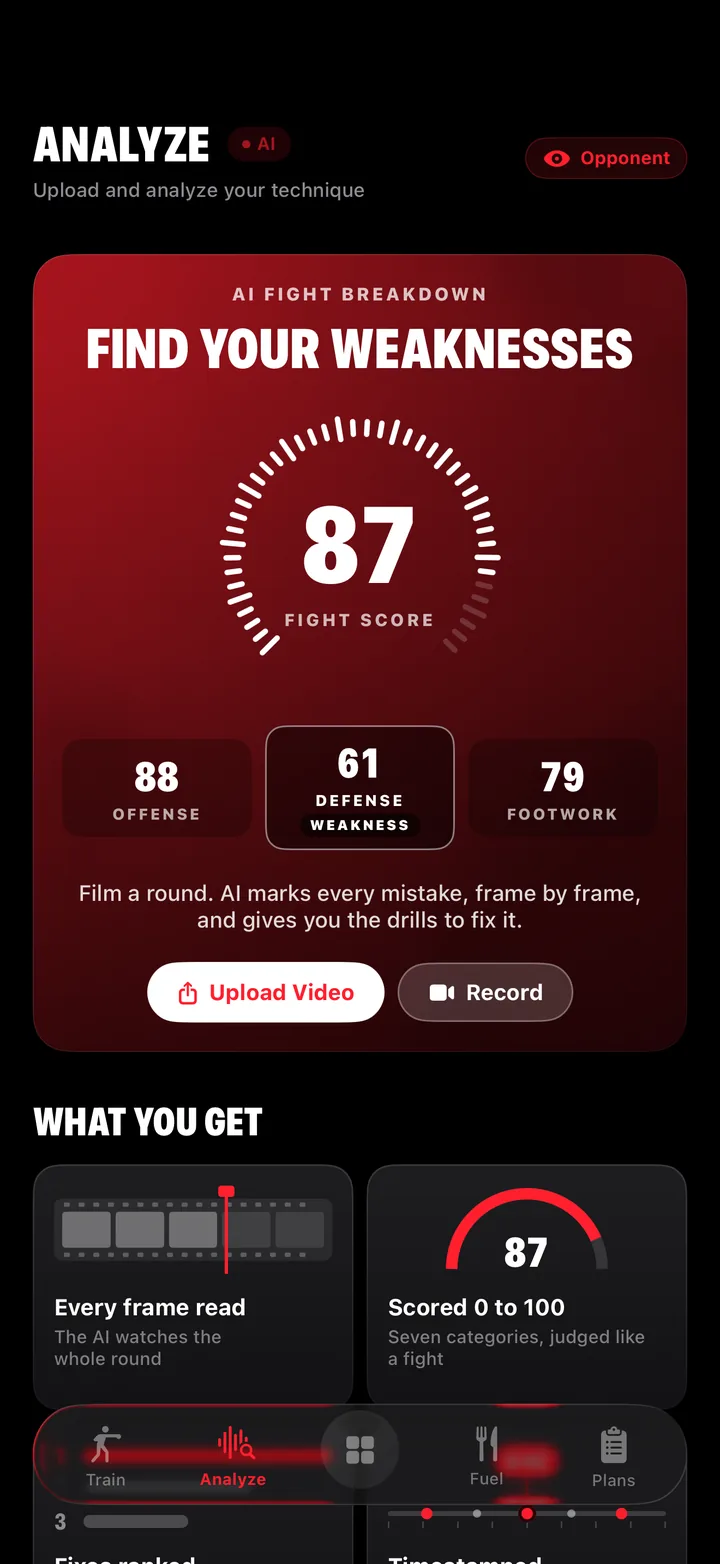
Upload a video or record one in the app. The AI reads the whole round and returns a fight score from 0 to 100, broken into offense, defense, and footwork — with the weakest area called out.
Fixes come ranked by how much they cost you, each tied to a timestamp in the footage, along with the drills to work on them.
Flip the toggle to Opponent and the same AI runs on footage of the fighter you're preparing to face — scouting, not just self-review.
Fuel
Calories, macros, and a graded day
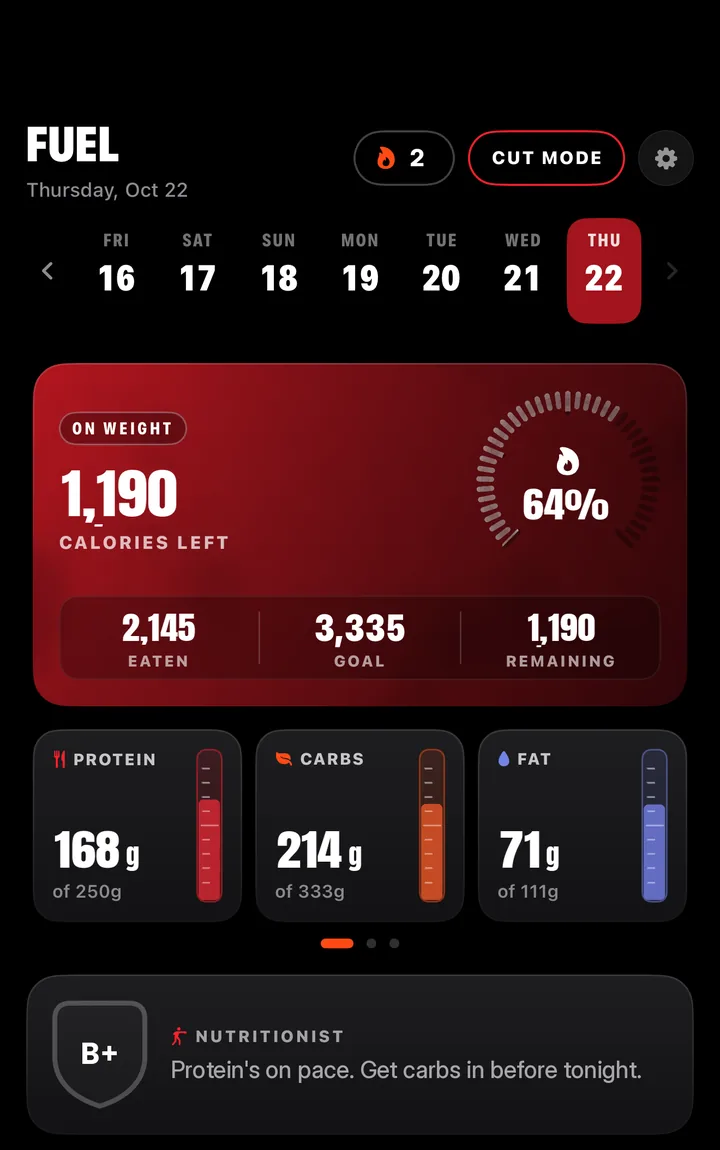
Fuel tracks calories against a daily target, with protein, carbs, and fat each shown against their own goal. A built-in nutritionist grades the day once you log a meal and tells you what to adjust.
Cut Mode sits at the top of the screen for fighters working toward a weight. The status badge shows whether you're on weight.
Plans
Build a program, or start a pro-built one
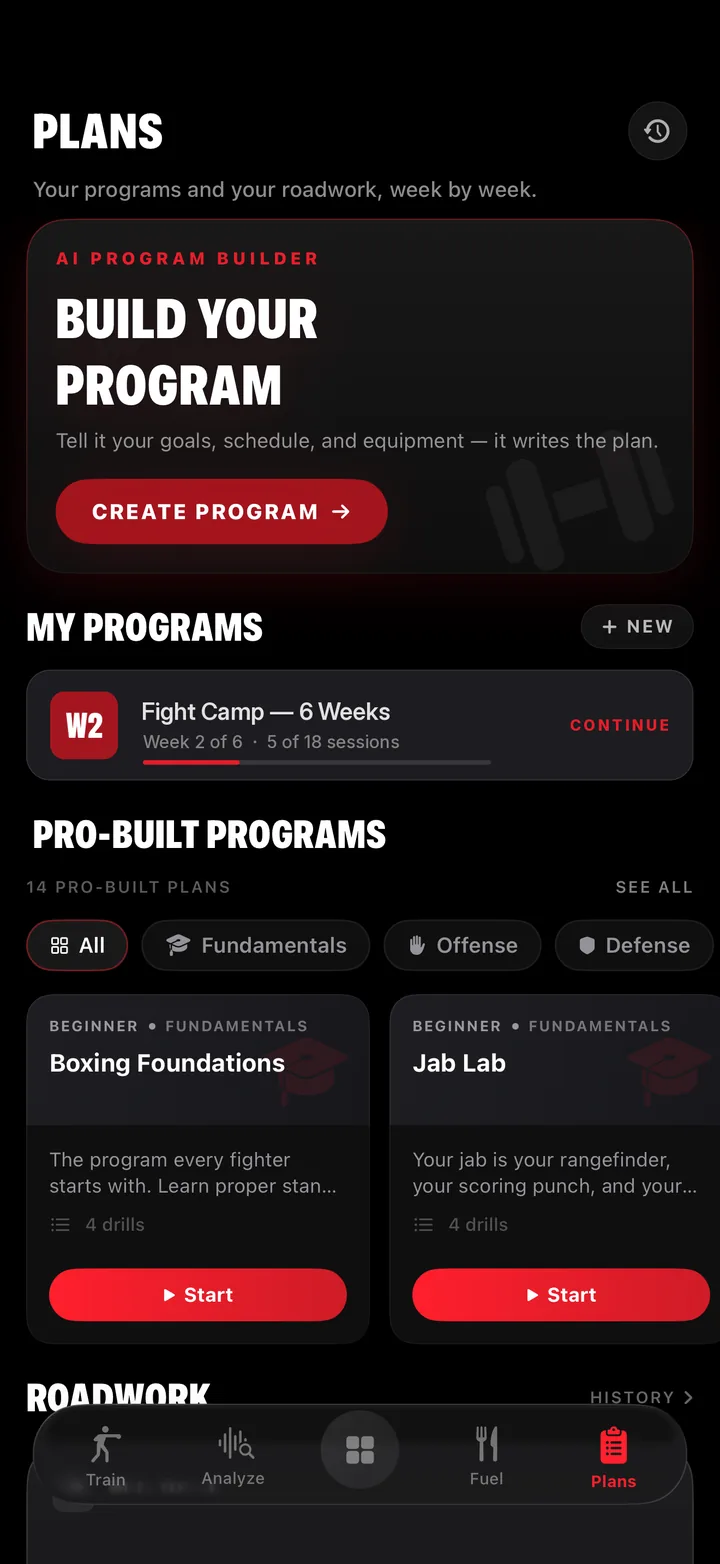
The AI Program Builder asks for your goals, schedule, and equipment, then writes the plan. Your own programs sit under My Programs, with progress through each week.
There are also 14 pro-built programs, filterable by fundamentals, offense, and defense — Boxing Foundations and Jab Lab among them. Roadwork history lives on the same screen.
See it on
your own phone.
Free to download on iPhone and iPad. Android is in development.